Tietoja Academysta
Löysitkö vastauksen kysymykseesi? Dokumentaation alla on informatiivisia kuvauksia, jotka auttavat sinua ymmärtämään Essentialin toimintoja ja käyttämään niitä. Palautustyön avulla nostat tietotasoa koko organisaatiossa.
A 360 feedback workflow sometimes needs more than one survey step. For example relevant peers are often not known to the HR department. For such scenarios a feedback recipient having the possibility to nominate peers, customers or other reviewers themselves makes the whole process easier and more streamlined.
Questback can support this through a configurable multi-step workflow using standard survey features, respondent data, distribution settings and Dynamic Links between surveys.
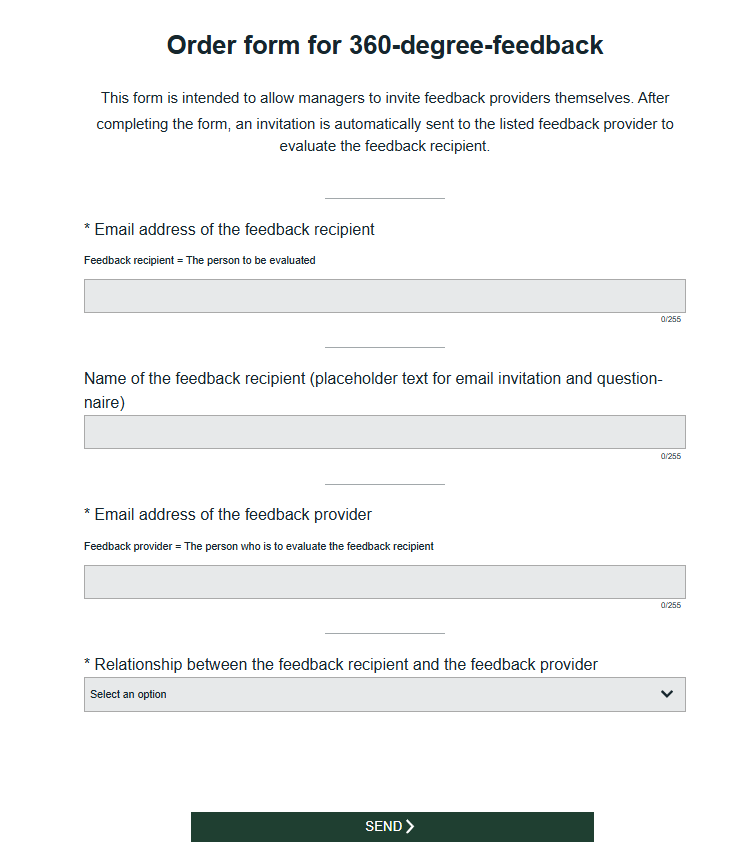
Recommended workflow:
Related articles:

Löysitkö vastauksen kysymykseesi? Dokumentaation alla on informatiivisia kuvauksia, jotka auttavat sinua ymmärtämään Essentialin toimintoja ja käyttämään niitä. Palautustyön avulla nostat tietotasoa koko organisaatiossa.