How do I set up a 360 feedback workflow with Peer reviewer nomination?
Last updated more than 2 months ago |
Print
A 360 feedback workflow sometimes needs more than one survey step. For example relevant peers are often not known to the HR department. For such scenarios a feedback recipient having the possibility to nominate peers, customers or other reviewers themselves makes the whole process easier and more streamlined.
Questback can support this through a configurable multi-step workflow using standard survey features, respondent data, distribution settings and Dynamic Links between surveys.
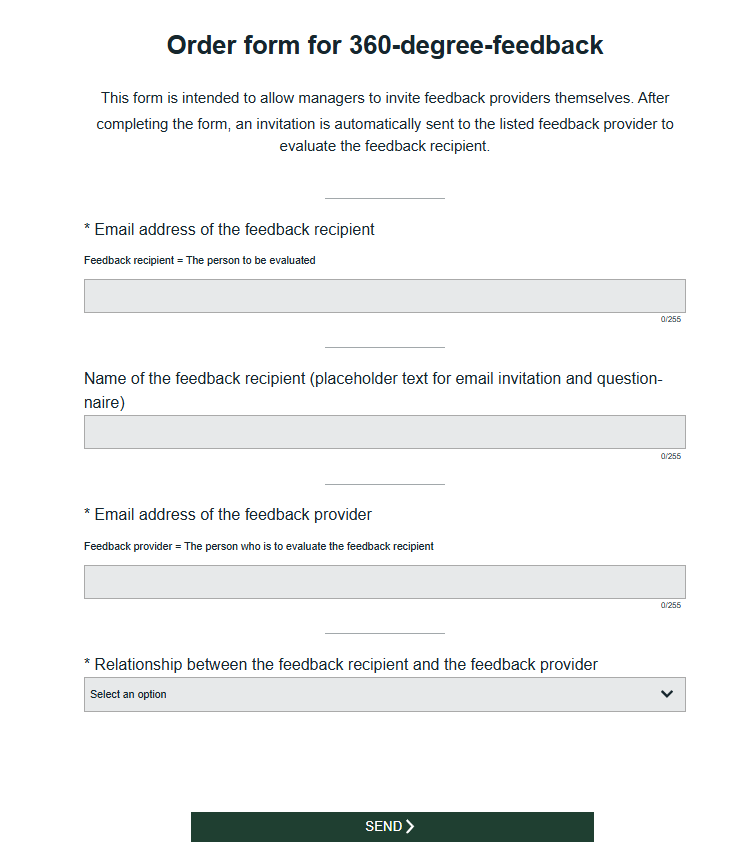
Recommended workflow:
- Create the nomination Quest
- Collect the reviewer name, email address, reviewer relationship and any optional data you need for e-mail text, survey text or reporting.
- Pass data into the next step
- Use Dynamic Links and/or respondent data to pass information into the actual 360 degree survey.
- Prepare the reviewer invitation step
- Define how reviewers will be invited and how reminders will be handled.
- Test the workflow end to end
- Test nomination, invitation and reminder logic before going live.
- Document what is manual vs automated
- Some workflows can be automated, but the setup should clearly explain which steps require manual input.
Related articles: