How do I combine email invitations, QR codes, links and Quest Login in one Quest?

A Quest can be distributed in different ways depending on the respondent group and the level of control you need.
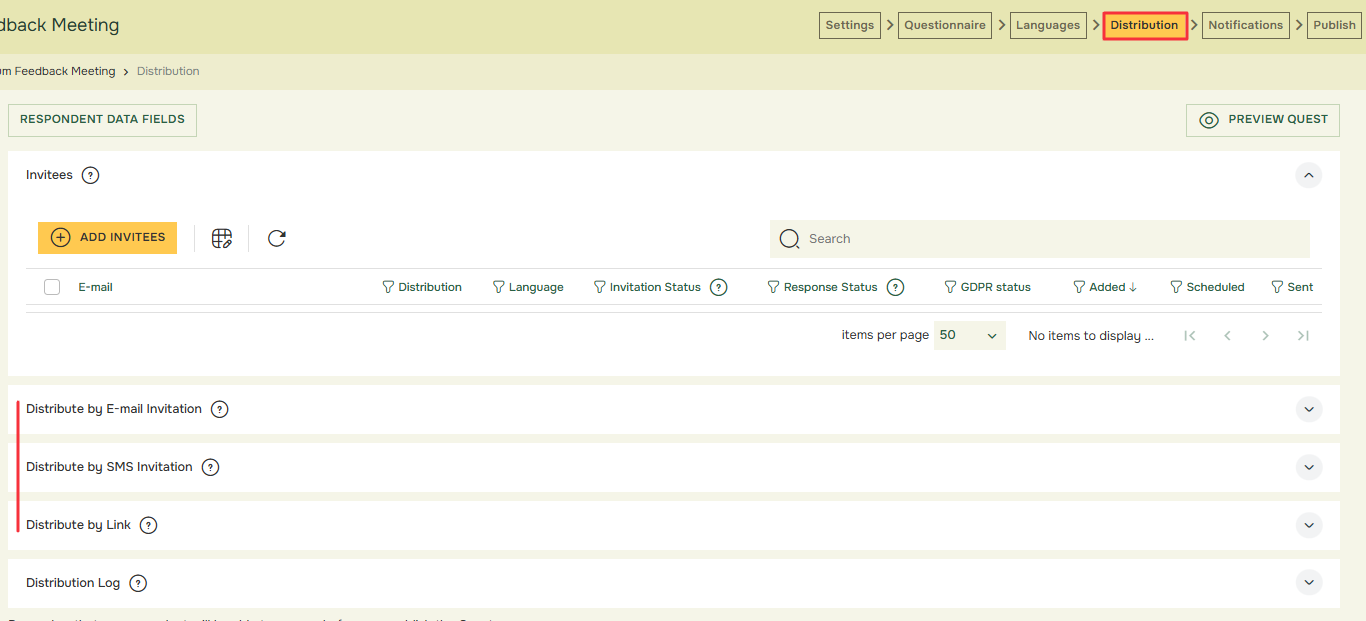
Common distribution methods include:
  • Email invitation
    • useful when respondents have individual email addresses and you want invite tracking or reminders.
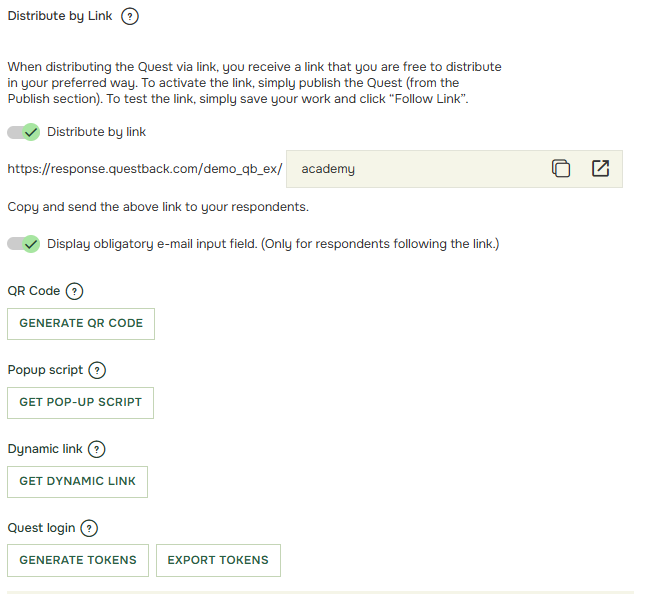
  • Public or anonymous link
    • useful when you want easy access without an individual invitation.
  • QR code
    • useful when respondents access the Quest from posters, shared devices or mobile phones.
  • Quest Login
    • useful when respondents need controlled access without using personal email invitations.
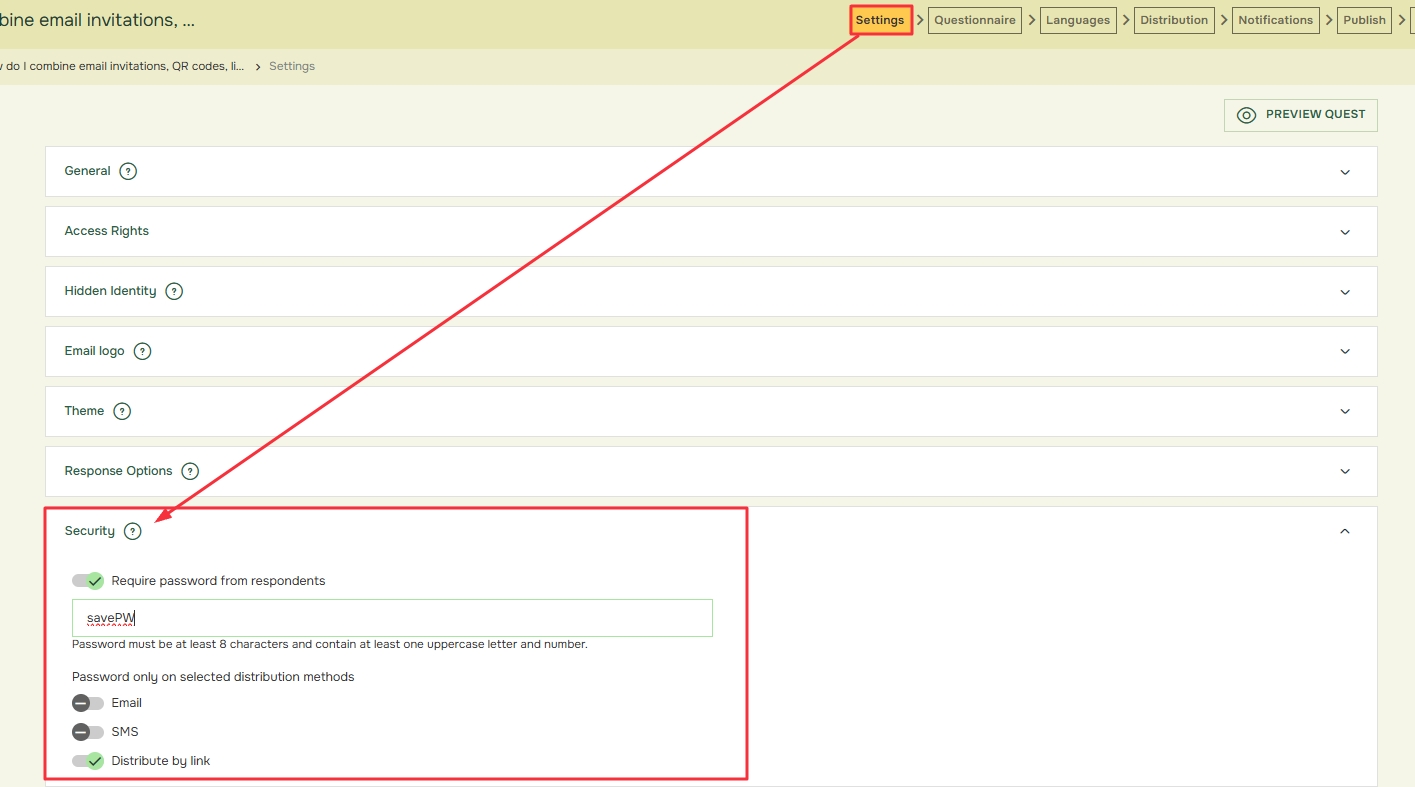
  • Password-based access
    • useful when a group needs access but individual email invitation is not practical.

Recommended workflow:

  1. Segment your respondent groups
    • Decide which groups will use which access method.
  2. Decide whether respondent tracking is needed
    • Email invitation can support invite status and reminders. Link or QR-based access may require a different setup if respondent-level tracking is needed.
  3. Plan respondent data
    • Decide whether respondent data should be imported, collected in the Quest or not used.
  4. Check Hidden Identity requirements
    • If identity should be hidden, review Hidden Identity and Advanced Hidden Identity settings before publishing.
  5. Set up each distribution method
    • Configure email invitation, link, QR code, Quest Login or password access as needed.
  6. Prevent duplicate responses
    • Decide whether respondents should be allowed to answer once or multiple times and configure the setup accordingly.
  7. Test all access paths
    • Test the email link, QR code, Quest Login and any password flow before launch.
  8. Plan reminders
    • Use reminders for email invitations where relevant. For groups using links, QR codes or Quest Login, plan alternative communication reminders if automatic email reminders are not applicable.

Related articles:

academy

Om Academy

Hittade du svaret på din fråga? Under dokumentation finns informativa beskrivningar som hjälper dig förstå och kunna använda Essentials funktionalitet fullt ut. Genom insiktsarbete höjer du kunskapsnivån i hela organisationen.