How to create filters based on AI Text Analytics Topics and Sentiment

AI Text Analytics filters let you filter report results based on the Topics and Sentiment identified in analyzed open text responses. You can create a filter from Results > Filters or directly from a report.
  • Open Results and select Filters.
    You can also select + New Filter from within a report.
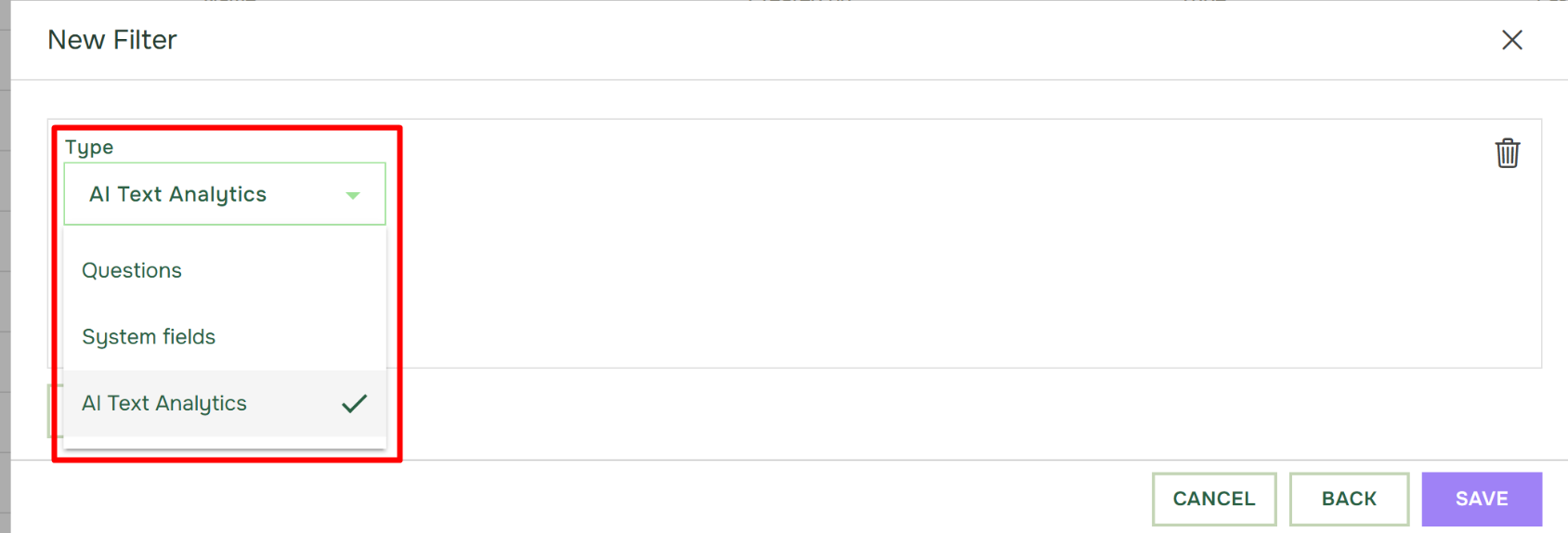
  • In the New Filter window, open the Type menu and select AI Text Analytics.


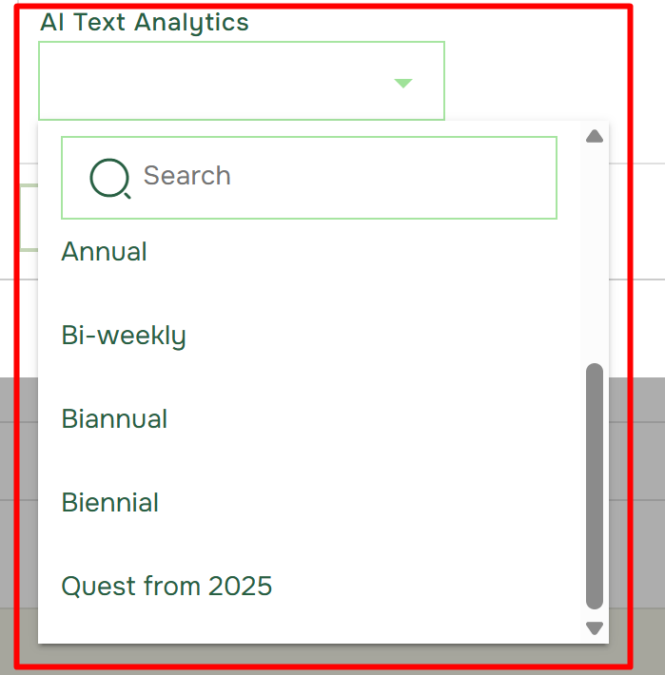
  • Expand the next drop-down, and select the AI Job you want to use. You can search for the AI Job if it is not immediately visible in the list.

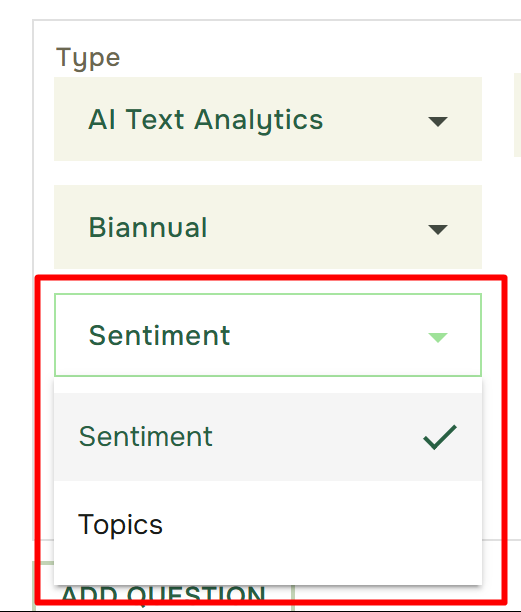
  • After selecting the AI Job, choose whether the filter should be based on Sentiment or Topics.

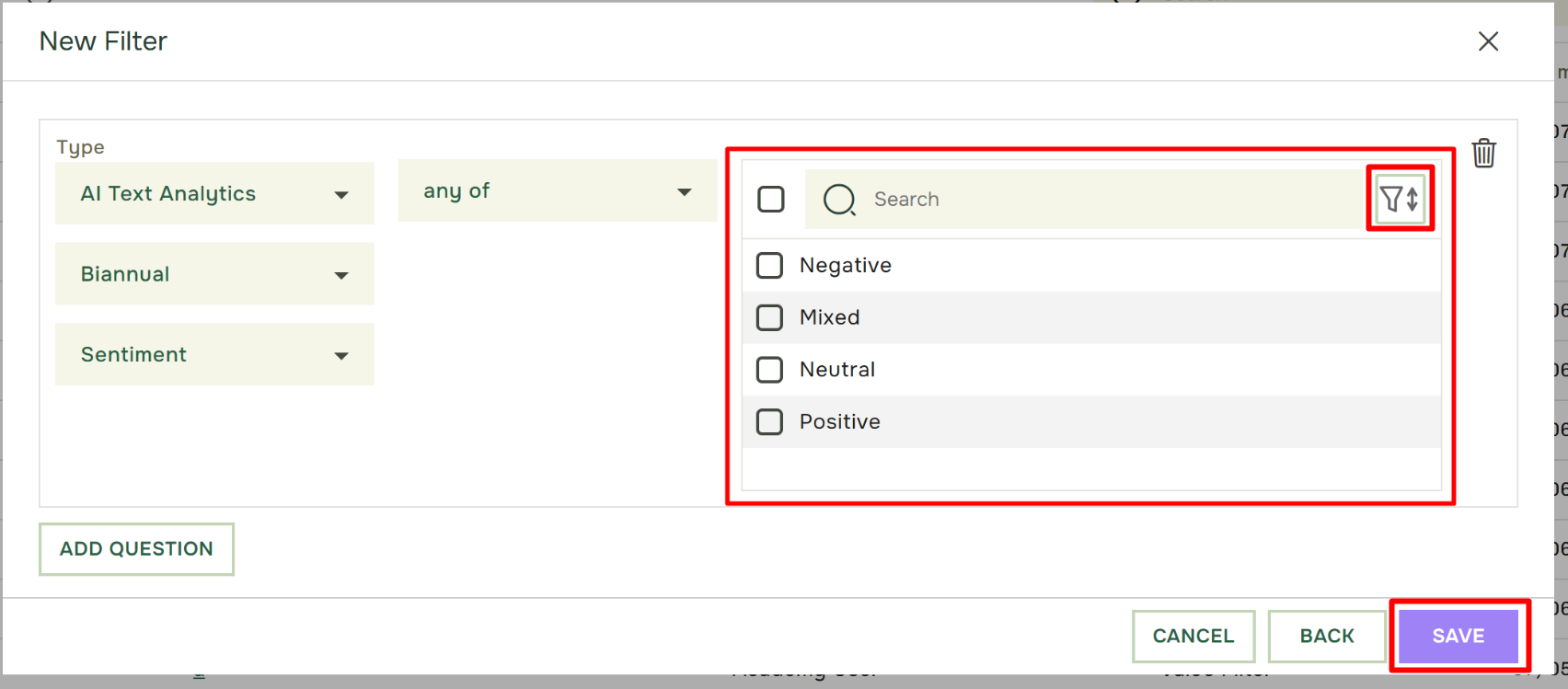
  • The available Sentiment categories or Topics are displayed on the right. Select the values you want to include in the filter. Use the sorting button to organize the list alphabetically or according to whether values are selected or not selected. Sorting by selected values is particularly useful when reviewing or editing an existing filter, as it makes it easier to see what the filter currently contains.

academy

Om Academy

Finner du svaret på spørsmålet ditt? Under dokumentasjonen er det informative beskrivelser som hjelper deg å forstå og kunne bruke Essentials funksjonalitet. Gjennom innsiktsarbeid hever du kunnskapsnivået i hele organisasjonen.