How to include AI Text Analytics data in a raw data export
Last updated more than 2 months ago |
Print
AI Text Analytics data can be included in raw data exports to bring topics and sentiment together with the rest of your response data. This gives you a more complete and actionable view of open text feedback.
If you have not yet created an AI Job, you can find more information about it here: How to use Text Analytics
- Start the export either from the results overview or from the report. Both options open the same export window.
-
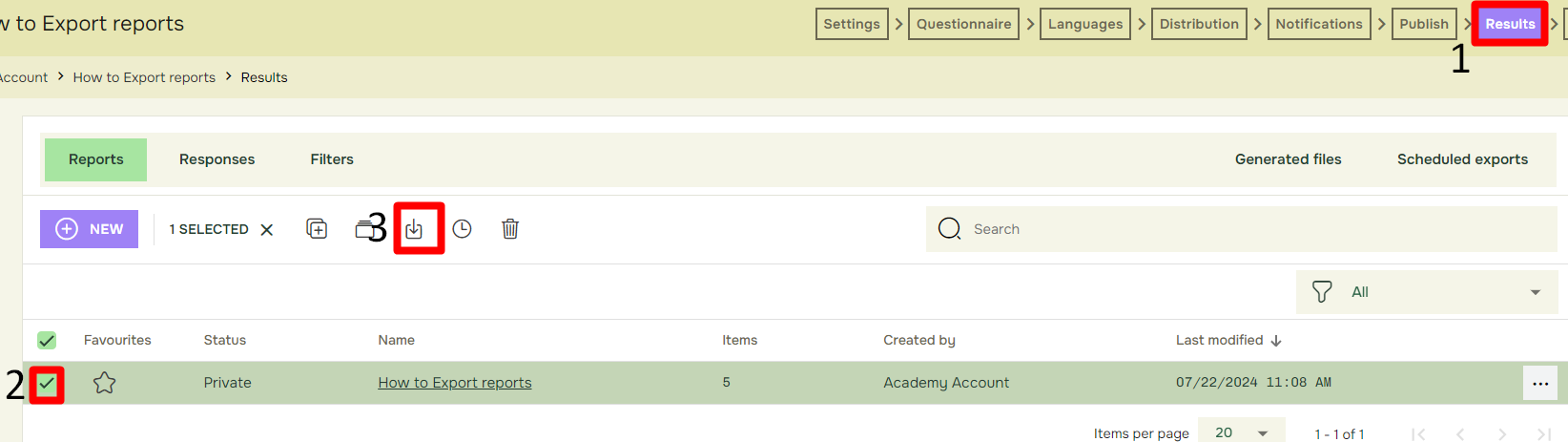
- From the Results tab (1), select the desired report (2) and click Export (3)
-
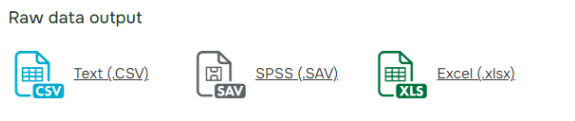
- Under Raw data output, select the desired file format.
-
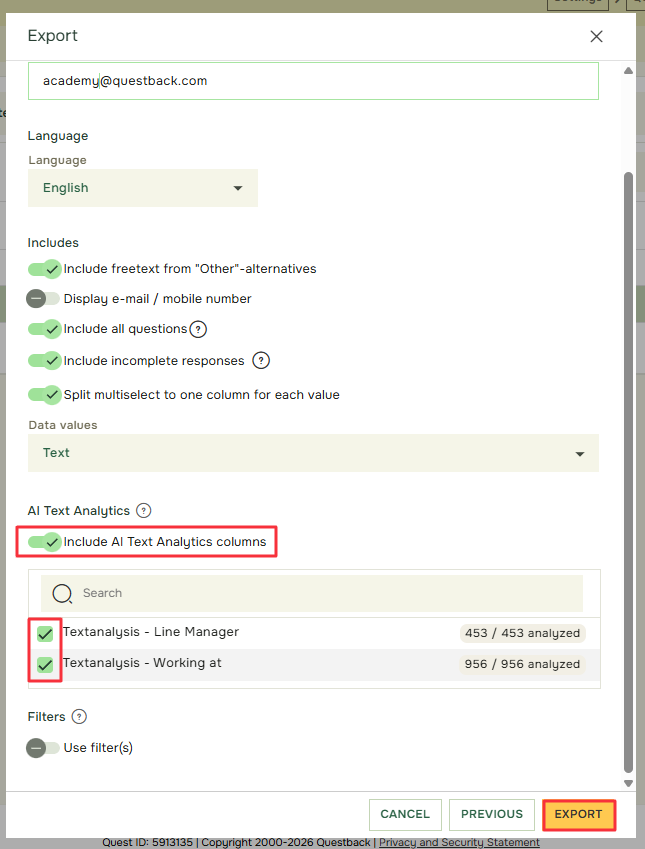
- In Export Settings under AI Text Analytics, activate Include AI Text Analytics columns and then select the AI Jobs you want to include. AI Jobs that are not selected will be left out of the export. Then choose your preferred delivery method and generate the report.
What is included in the export?
The export keeps each response on a single row. Additional columns are added for the selected AI Jobs, including:
-
- Sentiment
- Topics identified in the open text answer
The original open text answer and the other report data remain available in the same row.